Dark Web Monitoring: How It Works and Its Limits
Dark Web Monitoring
Dark web monitoring is a service that looks for signs that your personal information has appeared in breach databases, criminal forums, leaked credential collections, paste sites, or other underground sources. In plain English, it tries to answer one question: Has my information already leaked somewhere I wouldn’t normally see?
That sounds useful because, honestly, it can be. If your email address and password show up in a breach database, you’d rather know sooner than later. If your Social Security number, phone number, or driver’s license number appears in a suspicious data set, a warning can push you to freeze your credit, change passwords, and watch your accounts more closely.
But here’s the catch: dark web monitoring does not stop your information from being stolen, sold, copied, or misused. It’s an alert system. It’s not a shield.
The FTC warns consumers to be careful with messages claiming their personal information is for sale on the dark web, because some alerts may be legitimate while others may be scams designed to scare people into clicking links or paying for services. The FTC also recommends taking practical steps after exposure, such as changing passwords, watching accounts, and using IdentityTheft.gov when identity theft has occurred. (Consumer Advice)
What Dark Web Monitoring Means
Dark web monitoring is part of the broader identity monitoring category. It searches for exposed personal information across sources that may include:
- Breach databases
- Stolen credential lists
- Paste sites
- Criminal marketplaces
- Hacker forums
- Leaked combo lists
- Infostealer log collections
- Public or semi-public breach repositories
A dark web scan usually checks identifiers such as your email address, phone number, username, password, Social Security number, or financial account details, depending on the service. Some tools only scan email addresses. More advanced identity protection tools may monitor additional personal data points.
A dark web alert does not always mean someone is actively using your identity. It may mean your data appeared in a breach, was bundled into a credential list, or was found in a data set traded online.
That distinction matters. A leaked email address is not the same as a stolen Social Security number. A reused password is not the same as a new credit account opened in your name. The alert is the starting point, not the conclusion.
How a Dark Web Scan Works
A dark web scan works by comparing your personal identifiers against data sources collected, indexed, licensed, scraped, or obtained by a monitoring provider.
The process usually looks like this:
- You enter personal details into the monitoring service.
- The provider compares those details against breach and exposure data.
- The system looks for matches.
- If a match appears, the service sends a data breach alert or dark web alert.
- You review the alert and take action.
That’s the consumer-facing version. Behind the scenes, providers may use a mix of automated scanning, threat intelligence feeds, breach repositories, data brokers, third-party vendors, and manual analyst review. Coverage varies by provider.
A free dark web scan may only check whether an email address has appeared in known breaches. A paid identity monitoring service may check more identifiers and provide additional features, such as credit monitoring, financial account alerts, public records monitoring, restoration support, and family monitoring.
Have I Been Pwned, for example, lets users check whether an email address appears in known data breaches. It is useful for breach awareness, but it is not the same as full identity theft protection. (Have I Been Pwned)
What Dark Web Monitoring Can Detect
Dark web monitoring can be useful when it detects exposed data early enough for you to act. It is especially helpful for password leak monitoring and breach awareness.
1. Stolen Credentials
The most common and practical use case is detecting stolen credentials. A credential usually means a username or email address paired with a password.
This matters because attackers often use credential stuffing. OWASP describes credential stuffing as the use of known username and password pairs from one breach against other websites. In simple terms, if you reused the same password on multiple sites, one leak can put several accounts at risk. (OWASP Foundation)
Example:
You used the same password for an old shopping site and your streaming account. The shopping site gets breached. Attackers test that same email-password pair on other sites. If it works, they may take over your account.
Dark web monitoring can warn you that the password has appeared somewhere. The real protection comes from what you do next: change the password everywhere it was reused and enable MFA.
2. Email Address Exposure
Email exposure is common. An exposed email address by itself does not always mean identity theft. Still, it can increase phishing risk.
Once scammers know your email address is connected to a specific service, employer, bank, school, or subscription, they can create more convincing messages. That’s why a breach alert involving your email should be treated as a reminder to improve account security.
3. Password Leak Monitoring
Password leak monitoring checks whether your password, or a password associated with your account, appears in a known leak. Some password managers and security tools now include breached-password warnings.
NIST’s current digital identity guidance discusses password secrecy and strength as part of authentication. The older SP 800-63-3 suite has been superseded by SP 800-63-4, so current guidance should be checked against the newer version when building or evaluating authentication practices. (NIST Pages)
For consumers, the practical lesson is simple: use long, unique passwords and avoid reuse. A password manager helps because it lets you create a different strong password for every account without memorizing all of them.
4. Social Security Number Exposure
Some identity monitoring services check for Social Security number exposure. This is more serious than an email leak because an SSN may be used in attempts to open credit accounts, file fraudulent tax returns, pass identity checks, or create synthetic identities.
Dark web monitoring may alert you that an SSN appeared in a data set, but it cannot stop the SSN from being copied again. If your SSN is exposed, stronger steps may be needed, including credit freezes and IRS-related precautions where appropriate.
5. Phone Number Exposure
A leaked phone number can lead to spam calls, SIM-swap attempts, text-message phishing, and account recovery attacks.
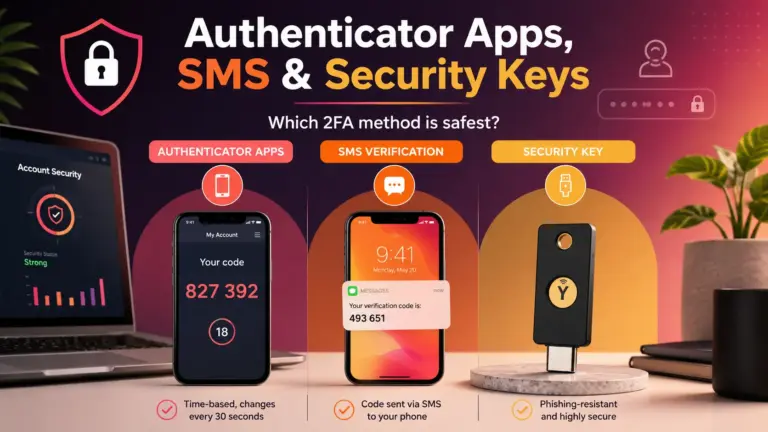
A dark web alert involving your phone number is a sign to review account recovery settings. Remove SMS recovery where stronger options are available, enable authenticator-app MFA or passkeys where possible, and add a PIN to your mobile carrier account.
6. Credit Card or Bank Detail Exposure
Some monitoring tools may detect exposed payment card details or bank account information. If that happens, contact the financial institution directly using the number on the card or official website. Do not click links in the alert unless you are sure the alert is legitimate.
Financial institutions are usually better positioned than dark web monitoring companies to replace cards, block transactions, and investigate account misuse.
7. Driver’s License or Passport Exposure
A driver’s license number or passport number can be used in some identity verification attempts. If such data appears in an alert, the right response depends on the issuing authority and the type of exposure. You may need to contact the state motor vehicle agency, passport agency, or relevant institution.
What Dark Web Monitoring Can’t Protect You From
This is where many identity protection pages get weak. They sell the tool but avoid the limits. That creates false confidence.
Dark web monitoring can help you detect some exposure. It cannot guarantee safety.
1. It Can’t Remove Your Data From Criminal Databases
Once personal information is copied into underground data sets, it can be duplicated endlessly. A monitoring company may find the exposure, but it usually cannot remove every copy.
Think of it like a photo that has been reposted all over the internet. Deleting one copy doesn’t erase all copies.
2. It Can’t Prevent a Data Breach
Dark web monitoring does not secure the companies that store your data. If a retailer, employer, healthcare provider, school, bank, or app gets breached, your monitoring service can’t prevent that breach.
It can only alert you after the provider has obtained or detected the compromised data.
3. It Can’t Detect Every Leak
No provider has full visibility into the entire dark web, private Telegram groups, closed criminal communities, encrypted chats, private sales, or offline fraud networks.
Some stolen data is never posted publicly. Some is sold privately. Some is used immediately. Some appears months or years after the original breach.
So when a service says “no dark web results found,” that does not prove your data is safe. It only means the service did not find a match in the sources it checks.
4. It Can’t Stop Phishing
Dark web monitoring may tell you your email or phone number is exposed. It cannot stop scammers from sending fake bank alerts, delivery messages, tax scams, romance scams, or tech support messages.
Phishing protection still depends on behavior and account security. Don’t click suspicious links. Verify messages through official channels. Use MFA. Keep recovery options updated.
5. It Can’t Stop Credential Stuffing by Itself
If your password is leaked and you keep using it, monitoring alone does nothing. Attackers can still try that password on other sites.
CISA explains that multifactor authentication adds protection because it requires another verification method beyond the password. MFA is not perfect, but it makes unauthorized access harder than password-only login. (CISA)
The best move after a password alert is immediate password replacement and MFA setup.
6. It Can’t Protect Accounts With Weak Recovery Settings
Many accounts are compromised through recovery channels: old email addresses, reused security questions, exposed phone numbers, or weak customer support verification.
A strong password does not help much if a scammer can reset the account through an old email inbox you forgot about.
7. It Can’t Replace a Credit Freeze
Dark web monitoring may alert you after your personal information is exposed. A credit freeze can make it harder for someone to open new credit accounts in your name.
The FTC says credit freezes and fraud alerts can help protect against identity theft by making it harder for scammers to open new accounts. The CFPB also explains that a credit freeze restricts access to your credit report, while fraud alerts require creditors to take extra steps to verify identity. (Consumer Advice)
For many consumers, a credit freeze is one of the strongest free tools available for reducing new-account fraud risk.
8. It Can’t Guarantee Identity Theft Recovery
Some paid identity protection plans include restoration support. That can be useful, especially if you are overwhelmed. But no service can guarantee instant recovery from identity theft.
Identity theft cleanup may require contacting banks, credit bureaus, government agencies, merchants, debt collectors, and law enforcement. IdentityTheft.gov provides recovery plans and step-by-step guidance for consumers dealing with identity theft. (IdentityTheft.gov)
Dark Web Monitoring vs Identity Monitoring
Dark web monitoring is only one part of identity monitoring.
| Tool | What It Does | What It Does Not Do |
|---|---|---|
| Dark web monitoring | Looks for exposed personal data in breach or underground sources | Does not prevent breaches or remove all data |
| Password leak monitoring | Alerts you when passwords appear in known leaks | Does not protect reused passwords unless you change them |
| Credit monitoring | Alerts you to changes on credit reports | Does not always block new accounts |
| Credit freeze | Restricts access to credit reports | Does not monitor bank accounts or stop all fraud |
| Fraud alert | Tells creditors to verify identity before issuing credit | Less restrictive than a freeze |
| Bank alerts | Warn about transactions or account activity | Only covers specific financial accounts |
| Password manager | Helps create and store unique passwords | Does not stop phishing by itself |
| MFA / 2FA | Adds another login verification step | Can still be vulnerable to sophisticated phishing |
The strongest setup is layered. Dark web monitoring is useful, but it works best when combined with unique passwords, MFA, financial alerts, regular credit report checks, and credit freezes.
What a Dark Web Alert Actually Means
A dark web alert is not automatically proof of active fraud. It usually means the monitoring service found a match between your information and exposed data.
A useful alert should tell you:
- What type of data was found
- Where or how it may have appeared
- When it was detected
- Which account or identifier is involved
- What action you should take next
- Whether the exposed password is visible, partial, hashed, or unknown
Some alerts are vague. A vague alert might say, “Your information was found on the dark web,” without showing enough context. That can create panic without helping you fix the problem.
A better alert is specific:
“Your email address and password associated with ExampleSite appeared in a breach. Change this password immediately. If you reused it elsewhere, change those passwords too.”
Specific alerts are more useful because they point to action.
What To Do After a Dark Web Monitoring Alert
Your response should depend on the type of information exposed.
If Your Email Address Was Found
Change the password for the related account if the alert names one. Watch for phishing emails. Enable MFA on your email account first because your email inbox is often the recovery hub for other services.
Also review forwarding rules, recovery emails, recovery phone numbers, and logged-in devices.
If Your Password Was Found
Change it immediately on the affected site. Then change it anywhere else you reused it.
Do not make a small variation like Password2025! to Password2026!. Attackers know people do this. Use a password manager to generate a new unique password.
If Your Social Security Number Was Found
Consider freezing your credit at the major credit bureaus. Review your credit reports. Watch for tax-related or benefits-related fraud. Use IdentityTheft.gov if you see signs that someone is using your identity. The FTC’s data breach guidance points consumers toward steps based on the type of information exposed. (IdentityTheft.gov)
If Your Credit Card Was Found
Contact the card issuer directly. Ask whether the card should be replaced. Review recent transactions and set up transaction alerts.
If Your Phone Number Was Found
Add a carrier PIN or port-out protection if your carrier offers it. Review account recovery settings on email, banking, and payment apps.
If Your Driver’s License Was Found
Contact the issuing state agency for guidance. Watch for accounts or applications using your identity.
When Paid Dark Web Monitoring May Be Worth It
Paid identity protection tools may make sense for consumers who want convenience, broader monitoring, and support.
They may be worth considering if:
- Your Social Security number has been exposed
- You’ve received multiple breach notices
- You manage accounts for children or elderly relatives
- You want one dashboard for alerts
- You are unlikely to check free tools manually
- You want restoration assistance
- You want credit monitoring bundled with identity monitoring
- You are recovering from identity theft
They may be less necessary if:
- You already use unique passwords everywhere
- You use MFA on important accounts
- Your credit is frozen
- You actively check financial accounts
- You use free breach-checking tools responsibly
- You do not need restoration support
The best paid service is not the one with the scariest marketing. It is the one that gives clear alerts, practical instructions, transparent coverage, easy cancellation, privacy-respecting data handling, and useful recovery support.
How To Evaluate an Identity Protection Tool
Before paying for dark web monitoring, ask these questions.
What data does it monitor?
Some services only check email addresses. Others monitor SSNs, phone numbers, credit cards, bank accounts, medical IDs, driver’s licenses, passports, addresses, and public records.
More data coverage can be helpful, but it also means you are giving the provider more sensitive information. Read the privacy policy before entering everything.
How specific are the alerts?
Specific alerts are more valuable than vague warnings. You want to know what was exposed and what to do next.
Does it include credit monitoring?
Dark web monitoring and credit monitoring solve different problems. If the service advertises identity theft protection, check whether it includes one-bureau or three-bureau credit monitoring.
Does it offer restoration support?
Some plans include identity restoration specialists. That may be useful if you are dealing with complex fraud.
Does it include insurance?
Some identity protection services advertise identity theft insurance. Read the terms carefully. Insurance may cover certain expenses, but it usually does not erase the time and stress involved in recovery.
How does cancellation work?
A trustworthy service should make cancellation clear. Identity protection should not rely on trapping worried consumers.
Does it explain limits clearly?
This is a trust signal. A provider that admits dark web monitoring can’t prevent all fraud is usually more credible than one promising total protection.
Common Mistakes Consumers Make
Mistake 1: Thinking “No Results Found” Means Safe
A clean scan does not prove your data has never leaked. It only means no match was found in that provider’s data sources.
Mistake 2: Ignoring Password Reuse
Password reuse is one of the biggest practical risks after a breach. One exposed password can unlock multiple accounts.
Mistake 3: Paying for Monitoring but Not Taking Action
An alert is useful only if you respond. If you ignore exposed-password alerts, monitoring becomes a notification service with no security value.
Mistake 4: Clicking Links in Scary Alerts
Scammers know people fear the dark web. If you receive an alert by email or text, go directly to the provider’s website or app instead of clicking links.
Mistake 5: Not Freezing Credit After Serious Exposure
If your SSN or other identity data is exposed, credit monitoring may alert you after activity occurs. A credit freeze can help reduce the chance of new-account fraud in the first place. The FTC identifies credit freezes and fraud alerts as tools that can help make it harder for scammers to open new accounts. (Consumer Advice)
Mistake 6: Forgetting About Children
Children can be attractive targets because their credit files may not be checked for years. Family identity monitoring may be useful, but parents should also learn about child credit freezes and official recovery steps.
A Practical Protection Checklist
Use this checklist whether you pay for dark web monitoring or use free tools.
- Use a password manager.
- Create a unique password for every account.
- Enable MFA on email, banking, cloud storage, shopping, and social accounts.
- Freeze credit if you are not actively applying for new credit.
- Turn on bank and card transaction alerts.
- Review account recovery settings.
- Remove old phone numbers and email addresses from important accounts.
- Check credit reports regularly.
- Be skeptical of urgent breach emails and texts.
- Use IdentityTheft.gov if you find real misuse of your identity.
The Bottom Line
Dark web monitoring is useful when it gives you early, specific, actionable alerts about exposed personal information. It is especially valuable for password leak monitoring, data breach alerts, and identity monitoring awareness.
But it is not complete protection. It cannot stop companies from being breached. It cannot erase stolen data from every criminal database. It cannot detect every private leak. It cannot stop phishing. It cannot replace strong passwords, MFA, financial alerts, credit freezes, or careful account management.
The right way to think about dark web monitoring is simple:
It tells you when some of your information may already be exposed. Your security depends on what you do next.
9. FAQ Section
Is dark web monitoring worth it?
Dark web monitoring can be worth it if you want alerts when your personal information appears in known breach or underground data sources. It is most useful when paired with strong passwords, MFA, credit freezes, and financial account alerts.
Does a dark web scan remove my information?
No. A dark web scan may find exposed information, but it usually cannot remove every copy from criminal databases or private groups.
What should I do if my password is found on the dark web?
Change the affected password immediately. If you reused it on other sites, change those passwords too. Use a password manager to create unique passwords and enable MFA where available.
Is dark web monitoring the same as credit monitoring?
No. Dark web monitoring looks for exposed personal data. Credit monitoring watches for changes on credit reports. They cover different risks.
Can dark web monitoring prevent identity theft?
It can help you respond earlier, but it cannot guarantee prevention. Identity theft protection also requires credit freezes, account alerts, strong authentication, and careful response to suspicious activity.
What does it mean if my email is on the dark web?
It usually means your email appeared in a breach or exposed data set. That may increase phishing and account takeover risk, especially if a password was exposed too.
Are free dark web scans safe?
Some are legitimate, but some are lead-generation tools or scams. Use reputable services and avoid entering highly sensitive data unless you trust the provider and understand its privacy policy.
Should I freeze my credit after a dark web alert?
If sensitive identity data such as your Social Security number is exposed, a credit freeze is often a strong protective step. It is different from monitoring because it can make new-account fraud harder.
10. Conclusion
Dark web monitoring is a helpful warning system, not a complete identity theft solution. It can alert you to stolen credentials, exposed emails, password leaks, and some sensitive identity data. That gives you a chance to act before small exposure becomes bigger damage.
Still, the tool has limits. It cannot prevent breaches, erase stolen data, monitor every hidden source, or protect accounts with reused passwords and weak recovery settings.
For most consumers, the best approach is layered protection: dark web monitoring for awareness, password managers for credential hygiene, MFA for account security, credit freezes for new-account fraud prevention, and official recovery resources when identity theft happens.